
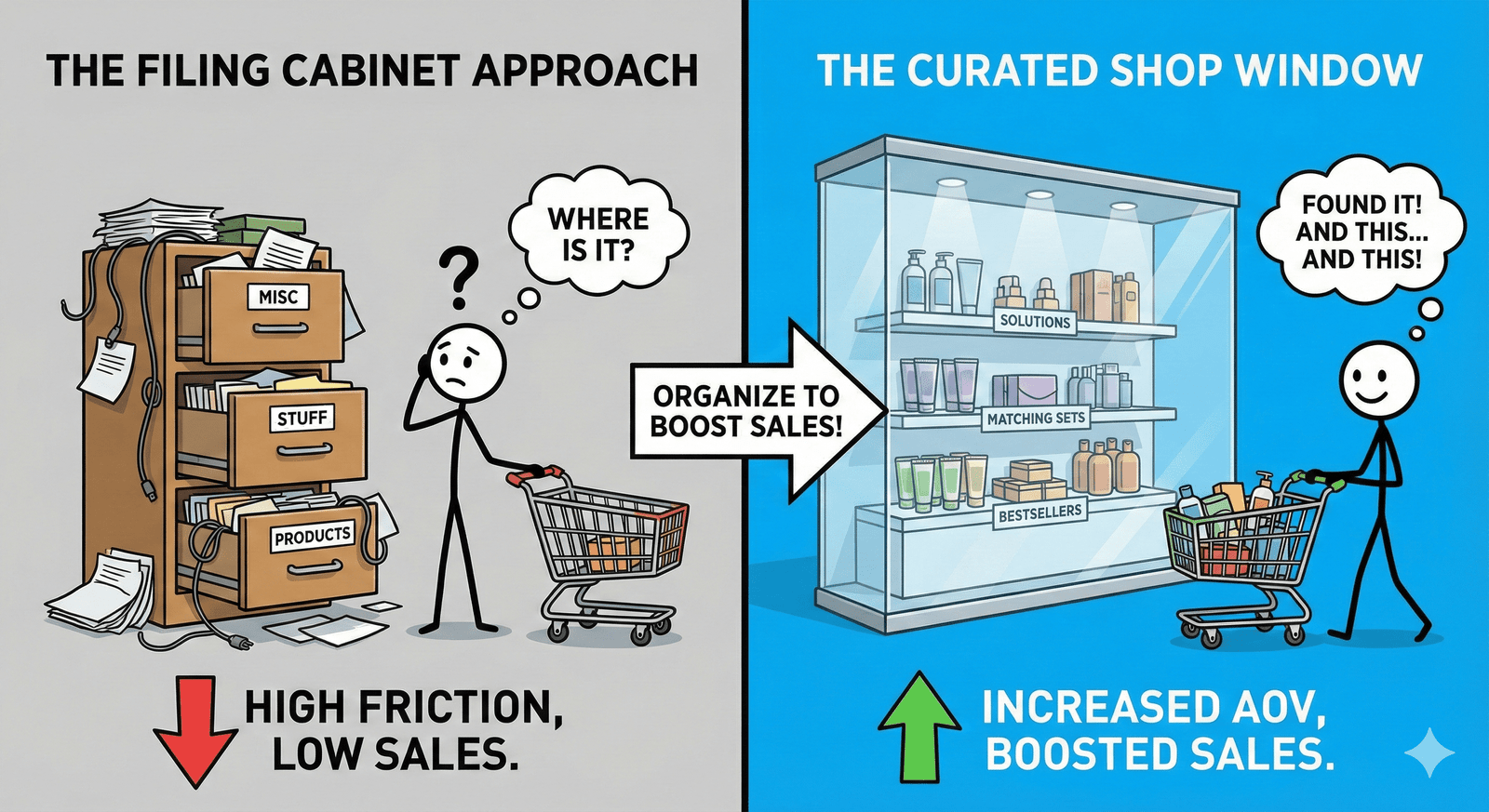
Most shop owners treat product categories like a filing cabinet—somewhere to hide things away so the homepage doesn’t look cluttered. But if you treat them like a curated shop window instead, your sales numbers will start to reflect that. The way you group your products doesn’t just make your site look better; it directly impacts your average order value (AOV).
When a customer lands on your store, they’re usually looking for a solution or a specific feeling. If they have to dig through five pages of unrelated items to find a matching set, they’ll probably just leave. Good organization removes that friction and makes it easy for them to add “just one more thing” to their cart.
Why Smart Categorization Changes Everything
If your store is just one giant list of items, customers get overwhelmed. This is what’s known as choice paralysis. When people are faced with too many disorganized options, they often choose nothing at all. By grouping your items logically, you’re guiding them through a journey rather than just throwing options at a wall.
Think about the last time you went into a physical boutique. You didn’t see a pile of clothes in the middle of the floor. You saw a rack with a jacket, a shirt, and a pair of trousers that all looked great together. Your online store should do the exact same thing. Logical grouping creates a path to purchase.
The Psychology of “Easy Browsing”
Customers appreciate it when you do the thinking for them. If someone is looking for a gift, a “Gifts Under $50” category is a lifesaver. It saves them time and positions you as a helpful resource, not just a vendor. This builds trust, and trust leads to higher spending.
How to Group Your Products for Maximum Impact
Don’t just stick to the basics like “Shirts” and “Hats.” While those are necessary for navigation, they aren’t always the most effective way to sell. You want to mix functional categories with emotional or situational ones.
- Functional Categories: These are your bread and butter (e.g., Hoodies, Stickers, Digital Downloads). They help people who know exactly what they want.
- Situational Categories: Think “Summer Collection,” “Back to School,” or “Date Night.” These help people who are shopping for an occasion.
- Price-Based Categories: “Sale,” “Clearance,” or “Premium Picks” help customers shop according to their budget without feeling restricted.
Use “New Arrivals” to Keep Things Fresh
Always have a “New Arrivals” category. Your returning customers don’t want to scroll through things they’ve already seen. Putting your latest work front and center gives them a reason to click around every time they visit. It creates a sense of urgency and shows that your brand is active and growing.
Using Categories to Increase Your Average Order Value
This is where the real growth happens. If someone is buying a t-shirt, they’re in a “buying mood.” That is the best possible time to show them something that complements that shirt.
Cross-selling through categories is a subtle but powerful move. If you have a “Style It With” category or simply group accessories near your main pieces, you’re suggesting a complete look. Most customers are happy to add a $15 hat to a $40 shirt order if it feels like it belongs there.
Another trick is the Bundle Category. Create a specific section for “Value Sets” or “Starter Kits.” By grouping three related items together at a slightly lower price than if bought individually, you’re encouraging a much higher initial spend. It feels like a win for the customer and it’s a huge win for your bottom line.
Best Practices for Your Navigation Menu
Keep it simple. You might have 20 different categories in the backend, but your main navigation menu shouldn’t be a maze.
- Limit your main menu: Try to keep it to 5-7 primary links. You can use dropdowns for the rest.
- Use clear language: Now isn’t the time to be overly poetic. Use words people actually search for.
- Prioritize your bestsellers: Put your most popular category first. Don’t make people hunt for your best stuff.
- Check your mobile view: Most of your customers are shopping on their phones. Ensure your categories are easy to tap and don’t require endless scrolling.
Setting It Up on E2C Store
We’ve made it incredibly easy to manage this. You don’t need a degree in web design to move things around. In your E2C dashboard, you can create and edit categories in seconds.
Start by looking at your current inventory. Are there items that naturally go together? Could you create a “Staff Picks” category to highlight your favorites? Take ten minutes today to reorganize just one section of your store. You’ll be surprised at how much of a difference a little bit of order can make for your sales.
Key Takeaways
- Reduce Friction: Make it as easy as possible for customers to find what they need.
- Mix It Up: Use both functional (Hats) and situational (Winter Gear) categories.
- Think Big: Use bundles and complementary groupings to push that average order value higher.
- Stay Simple: Keep your navigation clean and mobile-friendly.
Your store organization is a reflection of your brand’s professionalism. When things are easy to find, customers feel confident buying from you. Start small, test what works, and keep refining your layout as you grow.
Read about Product Title Tips to Boost Sales next.

Leave a Reply